Virtual Assistant Medical · RPM support
Remote Patient
Monitoring Support.
Keep Patients Connected.
Keep enrollment, device coordination, reminders, and care-team handoffs moving between visits. A VAM remote patient monitoring assistant works inside your approved program while your licensed clinicians oversee patient assessment and care.
- Practice-approved access
- Clear clinical handoffs
- Flexible support hours

Connected care starts with clear coordination.
Enrollment · Reminders · Documentation

Connected devices help bring information from home into your care workflow.
A connection between appointments
What Is Remote Patient Monitoring?
Remote patient monitoring (RPM) uses connected medical devices to collect health information at home and transmit it to a care team. Depending on the program, measurements can include blood pressure, glucose, oxygen saturation, weight, heart rate, or temperature.
Your clinicians interpret the information and decide what care is needed. Administrative support helps patients complete onboarding, follow device instructions, and stay connected with the program.
RPM can sit alongside telehealth and in-person care. VAM supports the coordination around that clinical workflow.
1
Connected device
2
Data transmission
3
Approved platform
4
Clinical team review
5
Provider action
Everyday program support
Our Remote Patient Monitoring Support Services
Build a practical support role around the administrative work your RPM team needs handled.
Vital Sign Monitoring Coordination
Keep reading schedules, missing-data follow-ups, and patient messages organized around your monitoring platform. Your clinical team determines the review cadence and assesses vital signs.
Chronic Condition Program Support
Coordinate approved workflows for hypertension, type 2 diabetes, COPD, heart failure, and obesity programs. Follow your care team’s instructions for reminders, documentation, and handoffs.
Medication Adherence and Reminders
Deliver practice-approved reminders and document routine patient responses. Route medication questions, changes, or reported concerns to licensed staff for review.
Patient Onboarding and Device Setup
Coordinate enrollment paperwork and consent documentation, track device delivery, and help patients follow approved setup instructions. Clinical eligibility and patient education requirements remain with your program leads.
Alert Routing and Escalation Support
Route platform notifications and patient concerns through the channels and escalation rules your practice defines. Clinical alert assessment, urgency decisions, and treatment stay with the licensed care team.
Monthly Documentation and Billing Support
Organize interaction records, reading-day logs, and activity summaries for your billing team. Keep administrative coordination separate from qualifying clinical services and clinician-approved billing decisions.
Common program measurements
Blood pressure
Blood glucose
SpO₂ / oxygen saturation
Weight
Heart rate
Temperature
Clinical interpretation, alert assessment, and treatment decisions remain with your licensed care team. Coverage and responsibilities are confirmed before support begins.
Documentation that supports review
RPM Reimbursement:
CPT Codes and Medicare Coverage
Medicare covers qualifying RPM services. Your billing team determines the applicable codes, eligible personnel, documentation, and payer requirements. These brief descriptions are a starting point for that review.
| Code | Service area | Timing / review point |
|---|---|---|
| 99453 | Equipment setup and patient education | Initial setup; confirm applicable episode rules |
| 99454 | Device supply and transmitted readings | 16 or more data days in a 30-day period |
| 99457 | RPM treatment-management time | First 20 minutes in a calendar month |
| 99458 | Additional treatment-management time | Each further 20-minute increment |
| 99091 | Physician / qualified professional data review | 30 minutes in a 30-day period |
| 99445 | Shorter-duration device data collection | 2–15 data days in a 30-day period · 2026 addition |
| 99470 | Shorter-duration treatment management | First 10 minutes in a calendar month · 2026 addition |
Keep the documentation clear
Record patient consent, reading days, interactions, and qualifying services separately. Administrative VA minutes do not automatically qualify as billable clinical work. Review code combinations and requirements before submission.
For 2026, 99445 and 99454 are alternative data-day pathways, rather than codes to combine for the same monitoring period.
RPM and Chronic Care Management
RPM may be provided alongside qualifying CCM services, including 99490 where appropriate. Do not count the same time toward both services. Your program and billing leads confirm each patient’s eligibility and payer rules.
Reimbursement depends on the payer, locality, setting, and services delivered. Confirm current requirements; support staffing alone does not establish eligibility for payment.
A clear way to begin
How Our RPM Support Works
Four stages help align your program, your patients, and your administrative support.
01
Consultation and Patient Eligibility Review
Share your specialty, patient panel, current program, payer mix, and staffing needs. Your clinical team determines medical necessity and eligibility; VAM helps define the coordination work.
02
Custom RPM Plan and Device Selection
Agree the conditions, approved devices, patient instructions, support hours, and handoff channels. Your providers approve monitoring thresholds and clinical escalation protocols.
03
Workflow Setup and Patient Enrollment
Review platform access, EHR requirements, privacy arrangements, and training. Coordinate consent records, delivery tracking, and patient onboarding within your approved process.
04
Launch, Review, and Refine
Start the agreed support queues, document completed work, and review outstanding items. Confirm launch timing and coverage in your proposal rather than relying on a fixed timetable.
For the team and the people it serves
Benefits of Remote Patient Monitoring Support
Consistent coordination gives your care team more visibility into the everyday work around a monitoring program.
For Your Practice
- Keep patient onboarding and missing-reading follow-ups organized.
- Prepare records that help clinicians see the next required action.
- Reduce repetitive administrative calls and coordination tasks.
- Support clearer documentation for billing-team review.
- Maintain a consistent communication routine as your panel grows.
For Your Patients
- A clear explanation of the program and approved device instructions.
- Routine reminders that help patients follow the agreed schedule.
- A defined channel for questions and care-team handoffs.
- Support staying connected with the practice between visits.
Clinical outcomes, readmissions, and patient satisfaction depend on the care program and patient circumstances. Track them against your own baseline.
Fit the support to your tools
Technology, EHR Integration,
and Data Security
Your RPM platform, devices, and approved systems guide the workflow. Review vendor capabilities and any integration requirements before assigning support.
Epic
athenahealth
eClinicalWorks
NextGen
Allscripts
Share your platform so we can review experience, access, and training needs. Direct integrations are confirmed with your vendors.
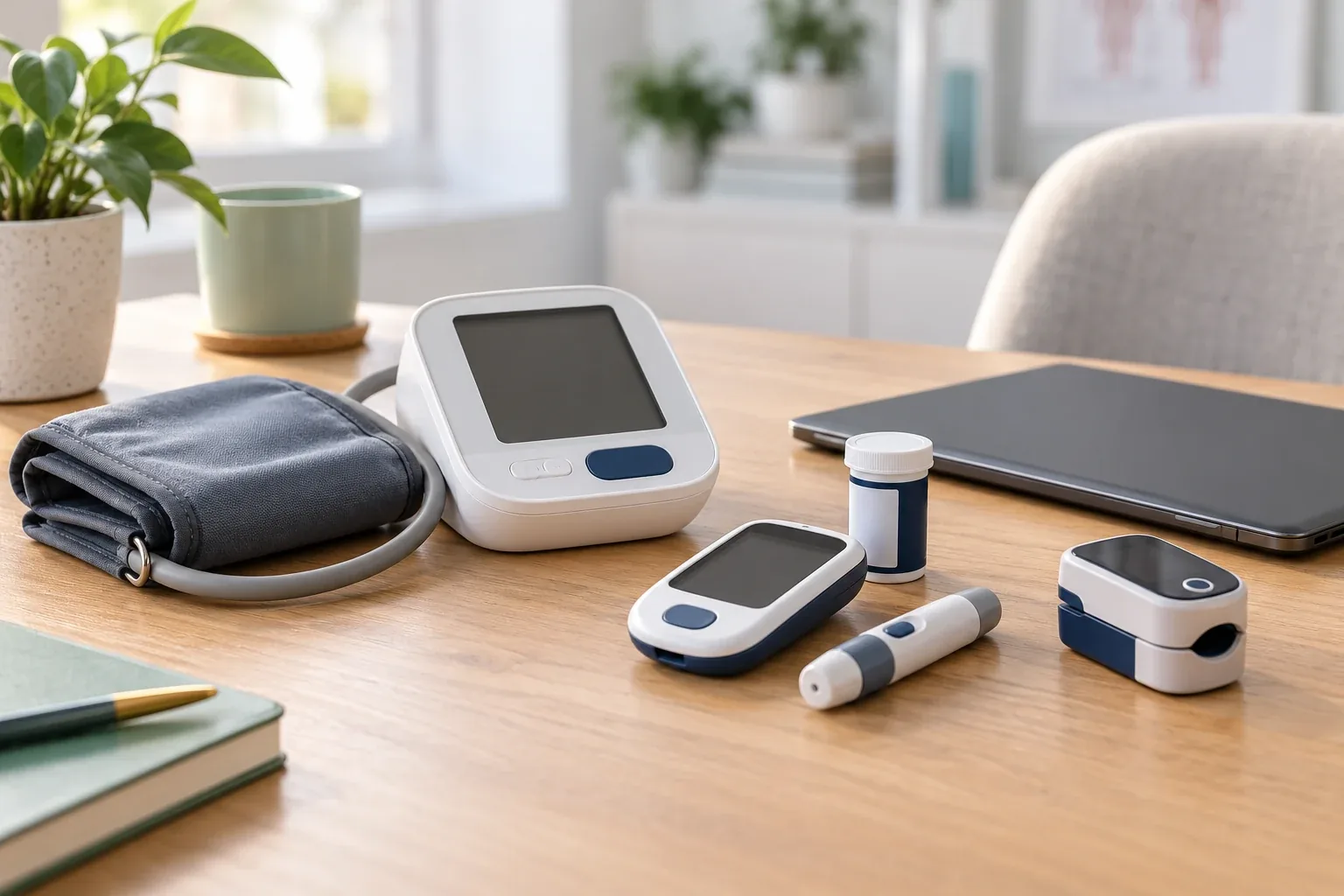
Illustrative monitoring equipment. Device selection belongs to your clinical program.
EHR and Platform Workflows
Agree how readings, outreach notes, and activity records reach the patient chart. Review integration, import, and access requirements with your platform provider.
Connected Medical Devices
Confirm device suitability, applicable FDA requirements, and cellular or other connectivity options. VAM can help coordinate delivery and approved setup instructions.
HIPAA-Aware Data Handling
Review applicable BAAs, secure transmission and storage, role-based permissions, and audit logging with your privacy lead and vendors before patient access begins.
Support for different care settings
Who We Serve
Tailor administrative support to the specialty, patient population, and monitoring program your clinicians direct.
Primary Care
Enrollment and routine follow-up coordination for hypertension, diabetes, and other clinician-selected programs.
Cardiology
Administrative support around blood pressure, weight, heart failure, and post-procedure monitoring workflows.
Endocrinology
Device-use reminders and documentation coordination for clinician-directed glucose monitoring programs.
Pulmonology
Patient communication and care-team handoffs for approved oxygen saturation and respiratory monitoring workflows.
Nephrology
Coordinate blood pressure and weight monitoring routines within your kidney-care program.
Post-Discharge and Transitional Care
Organize device onboarding, follow-up reminders, and care-team communication after discharge.
FQHCs and Rural Health Clinics
Discuss access, patient outreach, staffing needs, and the billing rules specific to your setting.
Why choose Virtual Assistant Medical?
Remote Patient Monitoring Virtual Assistants
With a Defined Support Role
Start with your workload and agree the responsibilities, relevant experience, privacy instructions, schedule, and review process. VAM supports the administrative side of your RPM program while your clinical team retains care responsibilities.
A focused role
Build around enrollment, outreach, and documentation needs.
Your approved workflow
Use the systems and handoff rules your practice chooses.
Coverage you can plan
Confirm support hours and after-hours clinical responsibilities.
Capacity you can review
Adjust administrative priorities as your patient panel changes.
In-House RPM Staffing vs VAM Administrative Support
These roles have different scopes. VAM administrative support complements licensed clinical staffing.
| Consideration | In-house team | VAM support |
|---|---|---|
| Staffing costs | Salary, benefits, recruiting, and supervision | Administrative VA support from $9.50/hour; full terms in your proposal |
| Coverage | Your staffed shifts and on-call arrangements | Agreed support hours and a documented clinical escalation plan |
| Getting started | Recruiting, orientation, and program training | Role matching, approved access, and workflow onboarding |
| Billing documentation | Managed by your internal program team | Reading-day records, interaction logs, and summaries prepared for review |
| Changing patient volume | Review internal staffing capacity | Review support hours and responsibilities as your panel changes |
Measure progress with your team
Results Worth Tracking
Across Your RPM Program
Set a baseline and reporting routine with your program leads. Use actual practice data to assess progress rather than assuming a guaranteed outcome.
Clinical outcomes
Readmissions and care-team follow-ups among enrolled patients.
Program participation
Reading-day completion and patients needing device-use support.
Financial performance
Actual reimbursement against staffing, platform, and device costs.
Patient engagement
Retention, outreach completion, and patient feedback.
Keep reporting useful. Agree which records your clinical and billing teams need, how often they receive updates, and who resolves outstanding items.
A practical plan for your workload
Remote Patient Monitoring
Support Pricing
Discuss the hours, administrative tasks, and experience your program needs. For larger panels, review a dedicated schedule that fits your daily coordination workload.
Device supply, clinical monitoring, platform fees, integration work, and payer reimbursement are separate considerations. Confirm what is included and any additional costs in your proposal.
VAM administrative support
$9.50
/ hour
Starting rate · full role and terms confirmed in your proposal
Build your plan around
- Device delivery and setup coordination
- Agreed support hours and clinical handoffs
- Routine patient reminders and outreach
- EHR and monitoring-platform workflows
- Documentation prepared for billing review
Connect the everyday details
Start Your Remote Patient
Monitoring Support Plan
Tell us about your patient panel, program tools, support tasks, and preferred schedule. Let’s define a useful role for your team.
Virtual Assistant Medical
Remote Patient Monitoring FAQs
How does remote patient monitoring work?
Patients use connected medical devices at home to send measurements to a monitoring platform. Their care team reviews the information and manages the clinical response. VAM supports the administrative steps around enrollment, reminders, documentation, and care-team communication.
Which patients qualify for RPM under Medicare?
CMS describes coverage for patients with an acute or chronic condition requiring monitoring, using a qualifying connected device that digitally uploads data. The provider determines medical necessity and the patient consents. Data-day and other requirements depend on the specific code and payer; 99454 uses the 16-day pathway, while 99445 covers 2–15 days.
What CPT codes are used to bill for remote patient monitoring?
The reference codes include 99453, 99454, 99457, 99458, and 99091. The 2026 additions include 99445 for shorter-duration data collection and 99470 for shorter treatment-management time. Your billing team must review eligibility, qualifying staff, interactions, documentation, and code combinations before submitting claims.
What devices are used to track patient vitals?
Programs may use connected blood pressure cuffs, glucose meters, pulse oximeters, weight scales, heart-rate devices, and thermometers, depending on clinical needs and device suitability. Your practice or device vendor selects and supplies the equipment. VAM can coordinate delivery and help patients follow the approved setup instructions.
How often are my patients’ vital signs monitored?
Your clinicians and platform determine the measurement schedule, clinical review frequency, and alert response. VAM’s administrative coverage hours are agreed separately. Continuous device transmission does not automatically mean continuous human review, and this support role does not replace an emergency or clinical monitoring service.
Is remote patient monitoring secure and HIPAA compliant?
A program needs appropriate agreements, approved technology, access controls, and patient-information procedures. Review applicable BAA requirements, encryption, audit logs, and staff responsibilities with your privacy lead and platform vendor. VAM support should use only the permissions and channels approved for the assigned role.
Can RPM be combined with Chronic Care Management (CCM)?
RPM and CCM can be provided together when the patient and services meet the relevant requirements. Keep documentation and qualifying time separate; the same time cannot be counted toward two billed services. Your billing team should confirm payer rules and the appropriate CCM pathway, including 99490 where applicable.
Will RPM increase costs for my practice or my patients?
Assess staffing, equipment, platform costs, payer coverage, and patient cost-sharing before enrollment. Reimbursement varies by payer and setting and is not a guarantee of profit. VAM administrative support starts at $9.50/hour; device and platform arrangements are reviewed separately in your proposal.
How quickly can we go live?
Timing depends on role availability, approved systems, privacy arrangements, device logistics, patient readiness, and training. Share your target date during the consultation so we can discuss a realistic onboarding plan for your practice.
Do you integrate with our EHR?
Tell us whether you use Epic, athenahealth, eClinicalWorks, NextGen, Allscripts, or another system. We review approved access, platform experience, and workflow requirements. Direct integrations depend on your RPM platform and vendors and should be confirmed before onboarding.